| Current version: 0.45.1 |
Current version: 1.30.0
|
Current version: 1.55.0.0
|
Current version: 0.26.0.0 |
|
|
|
Current version: 1.5.4
|
Current version: 0.3.0 |
Current version: 0.3.0
|
Current Version: 1.23.0
|
| |
|
|
GPU Caps Viewer
OpenGL, OpenCL, CUDA APIs
and graphics card / GPU information utility
|
Download


GPU Caps Viewer 1.55.0.0 - WinXP / Vista / Win7 For any bug report, feedback or whatever else about GPU Caps Viewer, please use the forum: [GPU Caps Viewer Forum]
 What is GPU Caps Viewer ?
GPU Caps Viewer is an OpenGL and OpenCL graphics card utility for Windows XP and Vista (32/64-bit). This tool offers the following features:
- quick view of the graphics configuration (graphics card / GPU type, amount of video memory, drivers version)
- display of the main OpenGL capabilities (OpenGL version, texture size, number of texture units, etc.)
- display of OpenCL API support and extensions.
- display of the OpenGL extensions supported by your graphics card or display of all existing
OpenGL extensions no matter what graphics card you have. For each extension, you can open its description webpage available at
the OpenGL Extension Registry or at NVIDIA's OpenGL Extensions spec. Very handy for graphics developers!
- display of NVIDIA CUDA level support
- display of the system configuration: CPU type and speed, amount of systeme memory, operating system, PhysX version
- display of the GPU core temperature
- GPU Burner or Stability Test: allows to overheat the GPU in order to test the graphics card
stability. You can start several stress test demos in the same time in order to make your graphics card working to the maximum.
- list of links related to your graphics card: graphics drivers and graphics cards reviews.
These links are regularly updated.
- full report in text and XML format. This kind of report is useful for developers who needs an outline
of the customer graphics system (for support purposes for example).
- graphics card validation: your graphics card data is sent to oZone3D.Net server and in return you receive
a link on the validation web page. You can use that validation in benchmarks or to help graphics applications developers to solve specific problems.
See this page for further explanation.
Screenshots
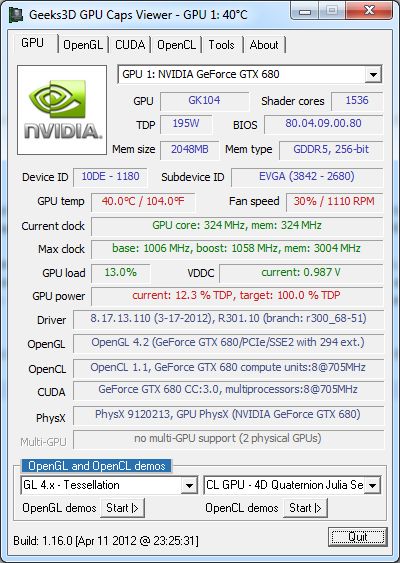
GPU Caps Viewer Main Panel
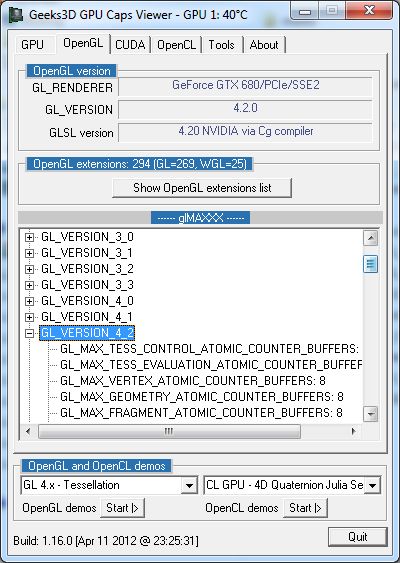
OpenGL Capabilities
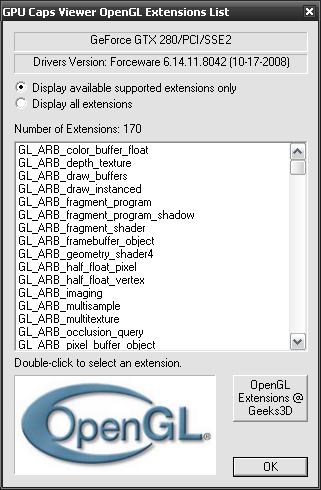
OpenGL extensions List
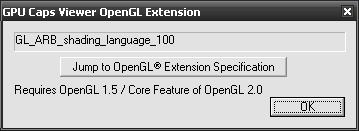
The detail of an OpenGL extension. You can jump directly to the extension page at the OpenGL Extension Registry.
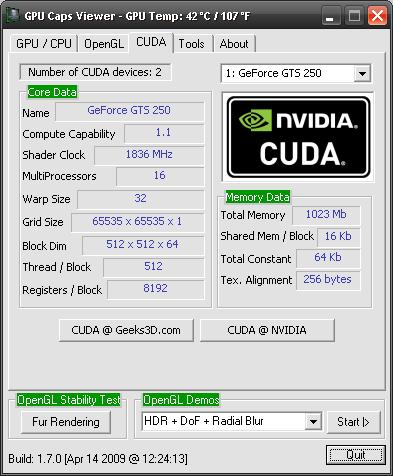
NVIDIA CUDA Capabilities
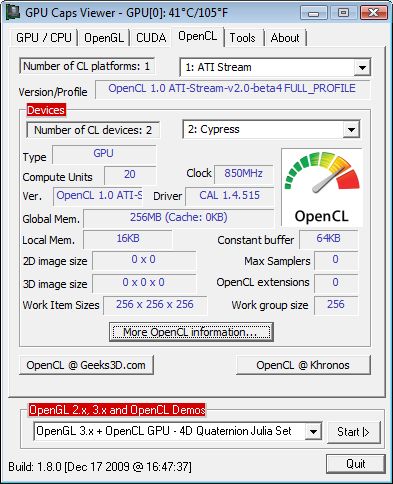
OpenCL Capabilities and extensions
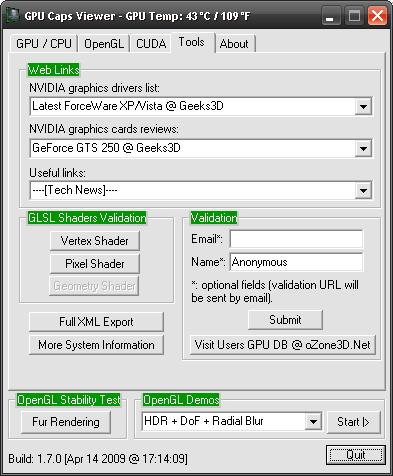
Tools
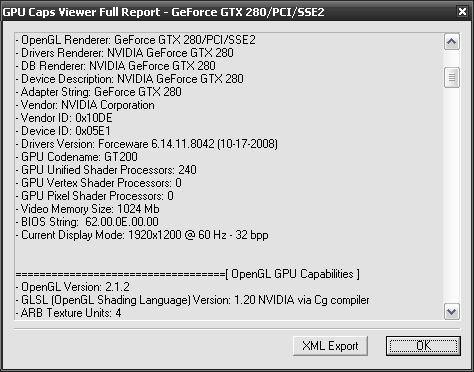
Full report. You have the possibilty to export the report to a conveniant XML file.
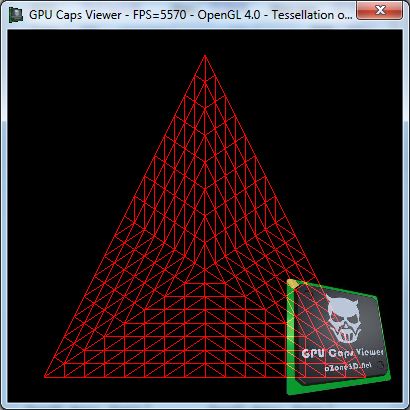
OpenGL 4 GPU tessellation demo
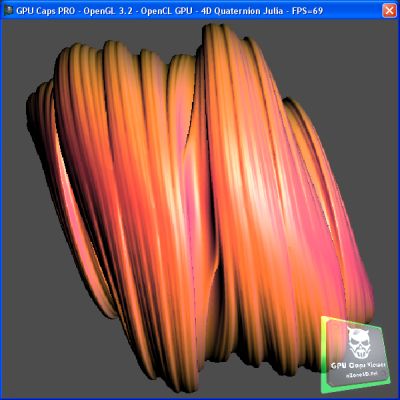
OpenGL 3 + OpenCL - Ray Traced Quaternion Julia 4D
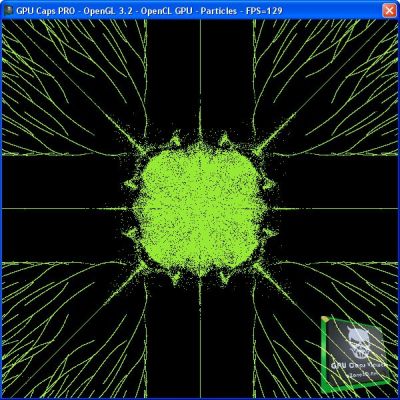
OpenGL 3 + OpenCL - 1,000,000 Particles demo
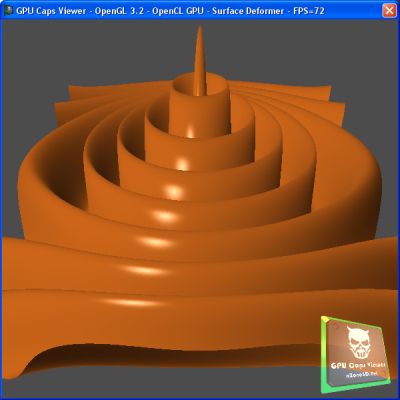
OpenGL 3 + OpenCL - Surface deformer demo
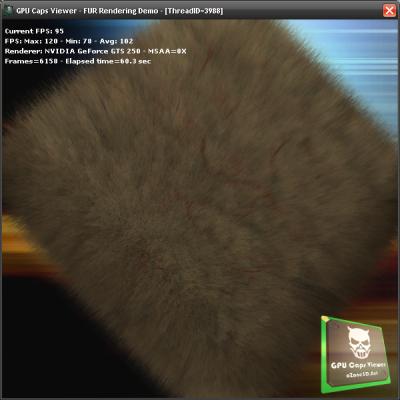
GPU Stress Test - Fur Demo - Useful to heat up the GPU as hell! For gpu-overclockers.
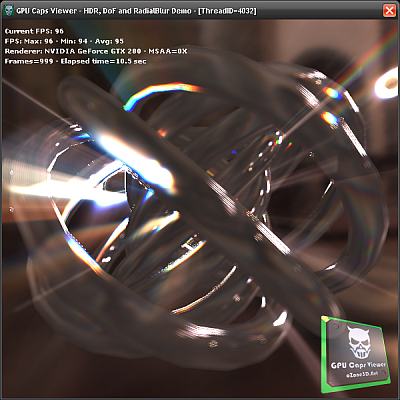
OpenGL Demo - HDR + DoF

OpenGL Demo - Geometry Instancing
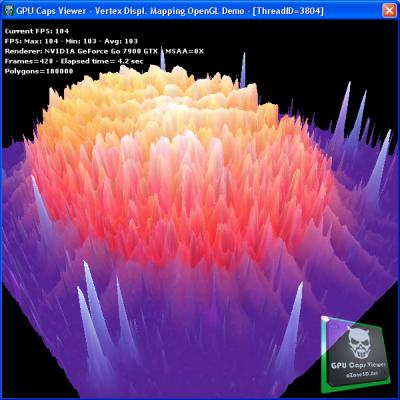
OpenGL Demo - Vertex Texture Fetching (VTF) Demo
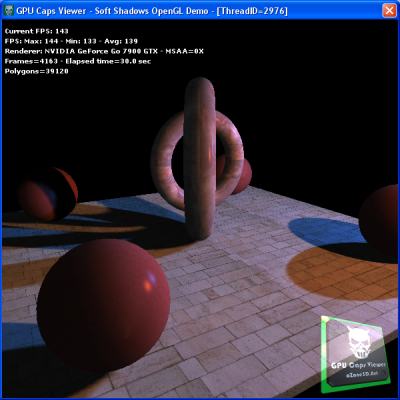
OpenGL Demo - Soft Shadows Demo
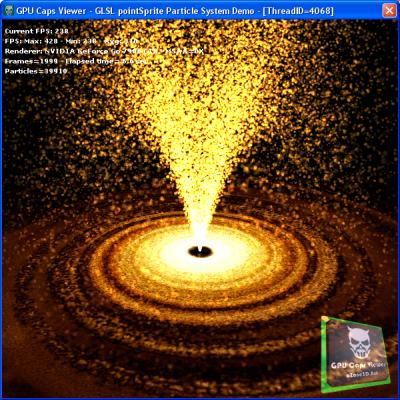
OpenGL Demo - Point Sprite Particle Demo
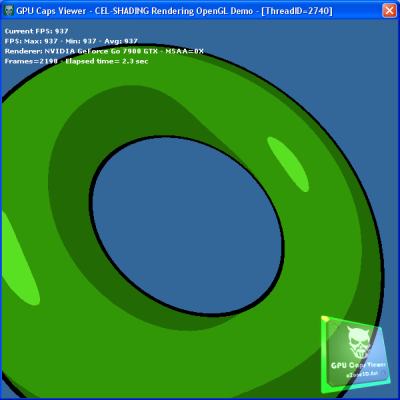
OpenGL Demo - Cel-Shading Demo
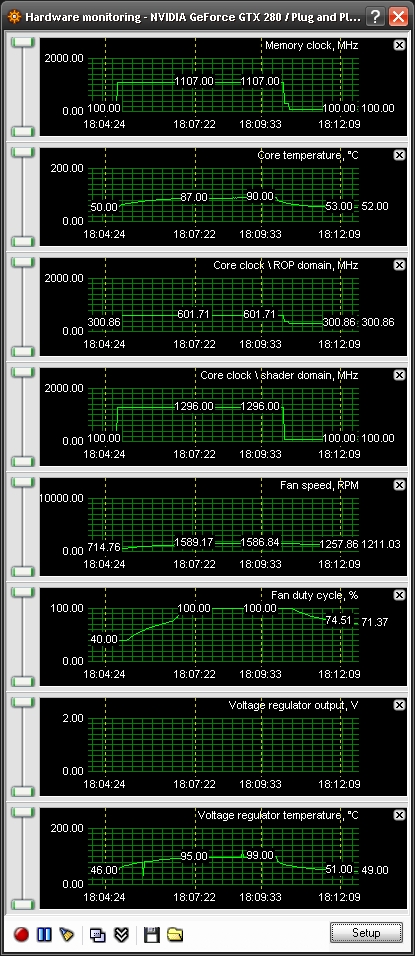
RivaTuner Monitoring: on a GeForce GTX 280, the temperature went up from 50°C (idle) to 90°C using the Fur Stress Test!
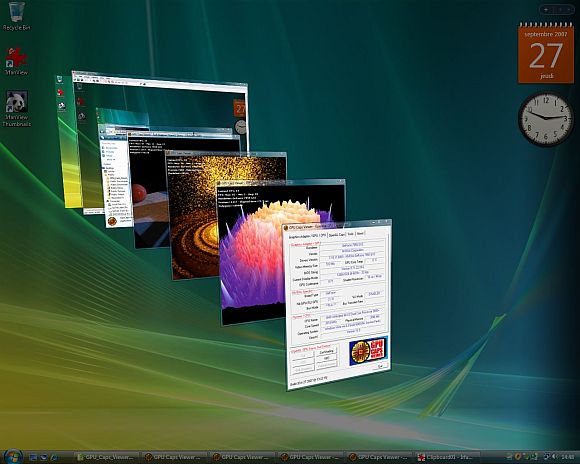
GPU Caps Viewer in action under Windows Vista - Flip 3D
ChangeLog
Version 1.8.6 - March 26, 2010
Version 1.8.4 - March 04, 2010
Version 1.8.2 - December 28, 2009
Version 1.8.1 - December 22, 2009
Version 1.8.0 - December 18, 2009
Version 1.7.0 - April 14, 2009
Version 1.6.2 - November 5, 2008
Version 1.6.0 - October 20, 2008
Version 1.5.2 - August 28, 2008
Version 1.5.0 - July 24, 2008
Version 1.4.2 - January 17, 2008
- Change: added Catalyst 8.1 to database.
- Change: web links updated
- Change: version 1.4.2
Version 1.4.1 - January 10, 2008
- Bugfix: crash when graphics card was not recognized (some non-NVIDIA/ATI cards such as Intel, SiS, XGI, ...).
Version 1.4.0 - January 8, 2008
- New: added graphics card validation in Tool panel.
- New: added new OpenGL demo with HDR and DoF.
- New: added MSAA selection for each OpenGL stress test demo.
- New: GPU core temperature in degrees Celcius and Fahrenheit.
- New: added vendor id/device id info in [Main Caps/GPU/CPU] panel.
- New: new logo designed by Steph3D.
- New: added file version information.
- Update: added ForceWare 169.28 and Catalyst 7.12 to database.
- Update: new weblinks (graphics cards reviews)
- Change: OpenGL demos selection is now done via a list.
- Change: [Main Caps/GPU/CPU] tab slightly changed: added OpenGL version and removed NVIDIA specific stuff.
- Change: version 1.4.0
- Bugfix: the button More System Information in [Tools] panel is now functional.
Version 1.3.0 - October 27, 2007
- New: added four new OpenGL stress test demos.
- New: GPU core temperature available for all NVIDIA cards (Geforce 5/6/7/8+) and for ATI Radeon 2k series and up. Under Vista, the GPU temp is not displayed for NVIDIA boards due to a bug in Forceware.
- New: added new GPU codenames for NVIDIA/ATI boards
- New: check for new version done at startup.
- Updated: weblinks
- Improved NVIDIA drivers detection.
- Changed: Sytem CPU tab merged with Graphics Adapter GPU tab
- Removed: redondent information in Graphics Adapter /GPU panel (video memory size and drivers version).
- Removed: GPU ambient and upper limit temperatures (Graphics Adapter /GPU panel).
- Changed: version 1.3.0
Version 1.2.0 - June 27, 2007
- Feature: added new links (reviews, latest forceware and catalyst drivers).
- Feature: added GLSL shaders validation test in Tools tab. You can test the loading of a vertex
or pixel shader written in GLSL.
- Feature: added AMD/ATI R600 GPU detection .
- Changed: version 1.2.0
Version 1.1.2 - May 5, 2007
- Feature: added number of Multiple Render Targets in "OpenGL Capabilities" tab and
in XML report.
- Feature: added in "System / CPU" tab a new button to get more system information.
- Feature: added the latest Forceware drivers links in Drivers Links.
- Feature: added the new reviews (8800 Ultra) in Reviews Links.
- Feature: added the GPU codename detection for S3 graphics cards (Chrome S2x, DeltaChrome and UniChrome).
Thanks to Stefan B. from www.chrome-center.com
- Changed: GPU Caps Viewer main windows has been reduced to be used with low resolution desktops (1024x768 for exemple).
"Tools" group has been transfered to the new "Tools" tab.
- Changed: Under Vista wit some system/PC, some information about NVIDIA video cards are not correctly fetched
and causes GPU Caps Viewer to crash. So currently, the "OpenGL Thread Control" group in
"OpenGL Capabilities" tab and "NVIDIA Specific" group in the "Graphics Adapter / GPU"
are disabled under Vista until I fix the bug. Thanks to Grant James / www.zeuscmd.com
- Bugfix: With some graphics cards / drivers under Windows Vista, the OpenGL extensions list
was not well-formed (empty strings). These cases are now managed. Thanks to Stefan B. from www.chrome-center.com
- Bugfix: "ATI Catalyst Version String" and "ATI Catalyst Release Version String" were
written in the XML report even with non-ATI graphics cards. Thanks to Stefan B. from www.chrome-center.com
- Bugfix: improved gpu codename detection for NVIDIA geforce 7300 series.
- Bugfix: in the xml report [Graphics Adapter / GPU] section read "Device Description" in place of
"Devive Description". Thanks to Michael.L.K for the bug report!
- Changed: version 1.1.2
Version 1.1.0 - April 26, 2007
- Feature: works now on Windows Vista!
- Feature: added new GLSL demo: fur demo
- Feature: added NVIDIA G80 support (number of geometry shader texture samplers, texture buffer size)
- Feature: added NVIDIA board type: geforce, quadro or nvs
- Feature: added new NVIDIA and ATI GPUs detection.
- Feature: added latest Forceware and Catalyst drivers links
- Feature: added new NVIDIA reviews.
- Feature: added new ATI reviews.
- Feature: added new useful links
- Change: improved multitreading management
- Change: improved graphics adapter data detection (drivers version)
- Change: improved cpu data detection
- Change: improved system data detection (DirectX version)
- Change: improved GUI (graphical user interface) organization.
- Change: version 1.1.0
Version 1.0.4 - February 27, 2007
- Feature: added new GPUs detection.
- Feature: added a checkbox to display all reviews.
- Feature: news links added to Reviews Links.
- Feature: news links added to Useful Links.
- Feature: news OpenGL GL_EXT extensions added.
- Change: improved multithreading management and rendering context switching
- Bugfix: management of non-opengl 2.0 compliant graphics cards (multitexturing, vbo, glsl...). Non-OpenGL 2.0 video cards made GPU Caps Viewer to crash!
Now GPU Caps Viewer works fine even on an OpenGL 1.1 video card. OpenGL 1.1 means no graphics drivers!
Thanks to Riccardo aka '.XtC.' for his countless tests!
- Bugfix: GPU Codename field was incorrect in case of unknown GPU.
- Bugfix: minor dialog box control bugs.
- Change: version 1.0.4
Version 1.0.2 - February 22, 2007
- Feature: added new Inno3D 7900 GS link to Reviews list box
- Feature: added Catalyst 7.2 links to Drivers list box.
- Feature: added old graphics card reviews (9600, X800, 5800, 6200, ... ) to Reviews list box.
- Change: in the Check For Update dialog box, the jump url now points to http://www.ozone3d.net/gpu_caps_viewer/
- Change: version 1.0.2
Version 1.0.0 - February 19, 2007
|
|
| |